The Master Prompt: A Prompt That Helps You Write Better Prompts
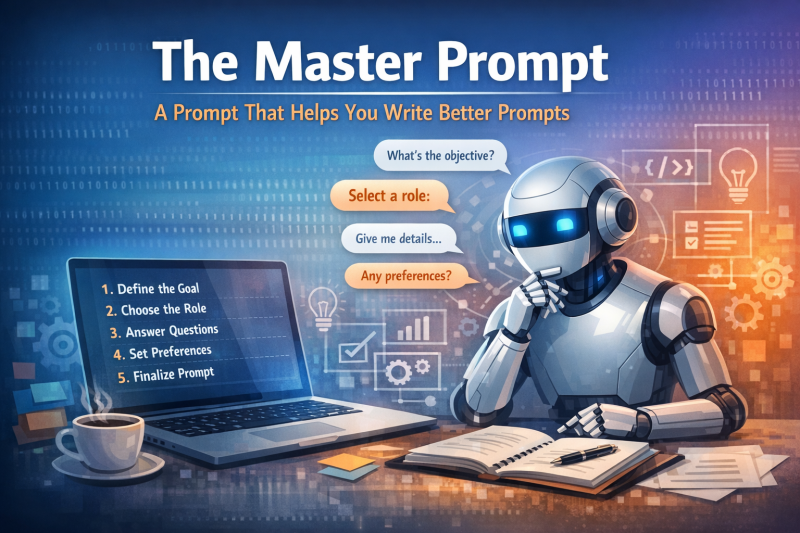
Most people use AI the way they use a vending machine: Type something in, hope something good comes out.
But AI doesn’t work like that. It’s not magic — it’s a tool. And like any tool, the quality of the output depends entirely on the quality of the instructions.
This is where the Master Prompt comes in.
It’s a structured, step‑by‑step system that helps you create better prompts, even if you’re new to AI or feel unsure about how to ask for what you need. Think of it as a “prompt generator” — a meta‑tool that guides you through the process of crafting clear, powerful instructions for Copilot or any other AI model.
Why You Need a Master Prompt
Most weak AI outputs come from weak inputs. Typical issues include:
-
unclear goals
-
missing context
-
no defined role for the AI
-
vague expectations
-
lack of structure
-
uncertainty about how to ask
A Master Prompt solves all of this by walking you through the same thinking process that professionals use when working with AI.
It turns guesswork into clarity.
How the Master Prompt Works
Step 1 — Define the Goal
The AI begins by asking: “What specific outcome should this new prompt achieve?”
This forces clarity. Without a goal, the AI has no direction.
Step 2 — Choose the Role
Next, the AI asks: “What role should Copilot take in this prompt?”
Examples include:
-
Expert
-
Analyst
-
Writer
-
Developer
-
Designer
-
Project Manager
-
Consultant
-
Prompt Engineer
The role determines the AI’s mindset — and dramatically improves the quality of the output.
Step 3 — Role‑Specific Questions
Depending on the chosen role, the AI asks targeted follow‑up questions.
Examples:
If the role = Writer / Editor
-
Who is the audience
-
Tone of voice
-
Length
-
Format (email, article, social post, instructions, etc.)
If the role = Analyst
-
Data sources
-
Type of analysis
-
KPIs or metrics
-
Output format (report, table, summary)
If the role = Developer
-
Programming language
-
Frameworks
-
Input/output format
-
Constraints or requirements
If the role = Designer / Creative
-
Style
-
Medium
-
Target audience
-
Brand guidelines
This ensures the final prompt is precise and complete.
Step 4 — Constraints & Preferences
The AI asks:
-
Are there examples you like or want to avoid
-
Are there fixed requirements (length, structure, tools, format)
-
Are there limitations (time, resources, style, language)
This eliminates misunderstandings and saves time.
Step 5 — Finalization
Once all answers are collected, the AI:
-
builds a complete, polished prompt
-
creates a short, compact version
-
and asks whether you want to save, adjust, or use it immediately
The result is a professional‑grade prompt you can use instantly.
Why This Master Prompt Matters
This tool is especially valuable for:
-
professionals who feel unsure about how to “talk to AI”
-
people who want better results with less trial‑and‑error
-
anyone who uses AI for writing, analysis, planning, or creativity
-
beginners who need structure
-
experienced users who want consistency
It turns AI from a toy into a productivity multiplier.
MASTER PROMPT
Step 1 – Goal Definition
Ask me first:
“What specific outcome should the new prompt achieve?”
Wait for my answer. Summarize the goal briefly, then move to Step 2.
Step 2 – Role Selection
Ask me:
“What role should Copilot take in this prompt?”
(Examples: expert, analyst, writer, developer, designer, project manager, consultant, editor, translator, prompt engineer, etc.)
If I don’t choose a role, suggest 3–5 roles based on my goal.
Step 3 – Role-Specific Detail Questions
Ask targeted follow-up questions depending on the chosen role.
If role = Writer / Editor
– Target audience
– Tone of voice
– Length
– Format (email, article, social post, instructions, etc.)
If role = Analyst
– Data or sources
– Type of analysis
– Metrics or KPIs
– Output format (report, table, summary)
If role = Developer
– Programming language
– Frameworks
– Input/output format
– Constraints or requirements
If role = Designer / Creative
– Style
– Medium (concept, layout description, campaign idea)
– Target audience
– Brand guidelines
If role = Consultant / Project Manager
– Context
– Stakeholders
– Timeline
– Risks / priorities
(The list is open — Copilot should automatically ask relevant questions based on the chosen role.)
Step 4 – Constraints & Preferences
Ask me:
– Are there examples I like or want to avoid
– Are there fixed requirements (length, structure, tools, format)
– Are there limitations (time, resources, style, language)
Step 5 – Finalization
Once all answers are provided:
Create a clear, complete prompt that includes all information.
Write it so it can be used directly in ChatGPT or Copilot.
Also provide a short version (1–2 sentences).
Finally ask: “Would you like to save, adjust, or use this prompt now?”